Before beginning your search Sign into the Library catalogue. For further information on how to Sign in, please refer to the Library Guide • Signing into the Library
In general, searches within the library catalogue (Primo) are not case sensitive, and all terms and words entered will be searched unless parenthesis, wildcards, special characters, or Boolean operators, such as AND OR Not are used.
Boolean Operators – AND OR NOT
- AND Narrows your search and will retrieve results that contain only those words. For example, Anxiety AND Depression will only return any results with both of the defined terms.
- OR Expands your search and will retrieve results that include one or more of the defined terms. For example, COVID 19 OR Corona Virus OR Coronavirus, will return results that include one or all of these terms. OR is best used when there may be more than one word for the same meaning.
- NOT Limits your search and can be used to exclude terms from your results. For example, Anxiety NOT depression, will only retrieve results that include anxiety and will not include any results with the term depression.
Parenthesis ()
Using parenthesis will allow you to group together search terms and alter their order of precedence. When using more than one operator it is recommended to use parenthesis in order for Primo to clarify what it is you are searching for and retrieve results in the order you require.
For example, note the search term below:

Without the parenthesis Primo would automatically group the search terms in the following way:

Wildcards * ?
Wildcards are used in searches to expand your results. Wildcards are usually utalised to replace or represent one or more letters in a word.
Wildcards used are:
Asterix * The Asterix * is used for a multiple character search. For example, Psych* will return words that include Psychology, Psychotherapy, Psychiatry and so on.
Questions mark? The question mark? is usually used to replace a single character in a word, for example b?ll will return results for bill, bell, ball and so on.
Quotation Marks “”
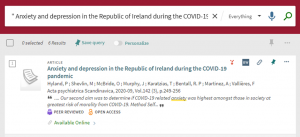
When searching for a specific, or exact title or phrase simply use quotation marks to surround your phrase or title.
Special Characters
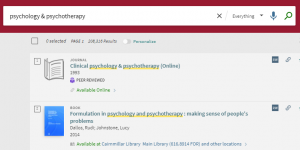
When searching for titles or terms that include an ampersand (&) between them, Primo will search replacing the & with the word and, which will retrieve results that include both terms.
For example:
Additionally, other Special Characters such as @ $ are similarly removed from exact title searches.
A Note on Spelling
Spelling between different countries often vary. In order to retrieve as many relevant results as possible this must be taken into consideration when conducting any search.
For example:
| Australia/UK | The United States of America (US) |
| Colour | Color |
| Counselling | Counseling |
| Analyse | Analyze |
For further information on Advanced Searching, please refer to the Library Guide • How to Conduct an Advanced Search
For further information on Simple Searching, please refer to the Library Guide • How to Conduct a Simple Search