In order to Check your Loans or Renew items online you will need to access your Library card. For further information on Accessing your Library Card, please refer to the Library Guide • Accessing your Library Card
Please note:
- If you have reached the total allowable renewals for the item, you will not be able to renew.
- Library resources which are being used as prescribed texts, have holds or reserves placed on them may not be renewed.
- Students may not be able to graduate if there are outstanding loans remaining on their Library card.
Loans
- Once signed into your Library card – click on Loans to see your current Loans.
Here you will see any active loans you currently have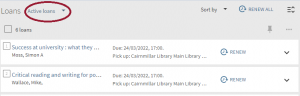
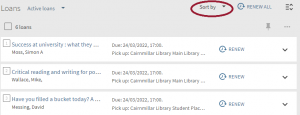
You may sort them by clicking on the Sort By drop down arrow
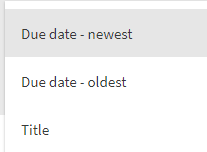
And select to view your current loans by the below options:
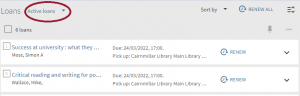
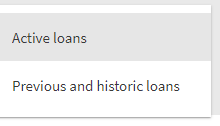
Clicking on the Active Loans dropdown arrow will allow you to select to view your Previous and Historic Loans
Renewing Library Items
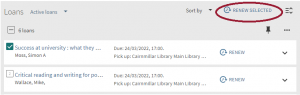
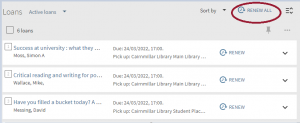
To renew items, stay in the Loans screen. You can either renew selected items or renew everything on your library card at once.
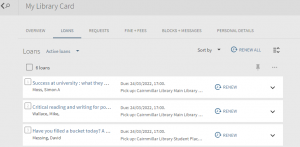
From this screen you can select which individual items you would like to renew, and then renew selected:
Or you can renew all items by clicking on the Renew all button
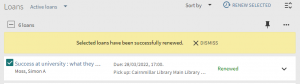
If the renewal is successful, you will receive the below message:
The Cairnmillar Institute Library Guide Loans & Renewals was created 13 December 2021 and is accurate as at 6 January, 2022.