In order to check if your card has any Blocks & Messages, you will need to access your Library account. For further information on Accessing your Library Card, please refer to the Library Guide • Accessing your Library Card
The Blocks & Messages option in Primo is another way for the Library to correspond with you.
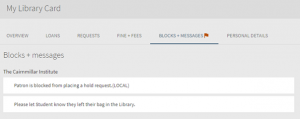
Once signed into your Library card you will see if there are any messages or block on your card by a red flag icon.

To access and view any Messages or Blocks on your Library card click on BLOCKS + MESSAGES.
The Cairnmillar Institute Library Guide Blocks & Messages was created 13 December 2021 and is accurate as at 18 January 2022.