Important: this is only an option if you are formally enrolled. This will not work if you have completed or withdrawn from your course of study.
- Log into Paradigm using your student account (ensure that you are using a supported browser such as Chrome, Firefox or Edge)
- From the menu on the left, select Summary.
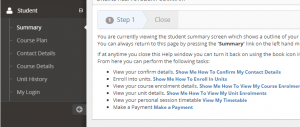
- In the right hand pane, scroll down and locate the My Course Enrolments section.
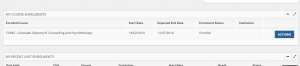
- Select the Action button at the right hand end of the enrollment.

- From the drop down menu on the action button, select the Print Confirmation of Enrolment option
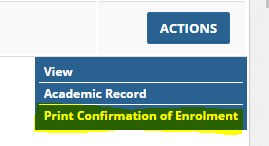
- A PDF document will be generated that you can either print or download to your computer.
For official letters see: I need a letter of enrolment for Centrelink/AHPRA/Other?