Welcome to Ebooks at Cairnmillar!
Our OverDrive collection of eBooks and Audio Books contains both prescribed texts and recommended texts, as well as a range of popular and highly utilised titles.
Our OverDrive selection of eBooks and Audio Books are available for a 14-day loan period, renewals are available and there is a limit of five titles per person at any one time. Items are automatically returned on the due date.
eBooks and Audio books are available and accessible through the Library Catalogue and via Libby APP.
Please note that you need to be signed into the Library to access the collection, only one person can use an eBook or Audio Book at any time, and no-one else can access the book until it is “returned”. If you finish with an eBook early, please “return” it to the Library.
You can search for individual titles or, browse the entire eBook and Audio Book collection via the Library Catalogue, Library Collections or through the Libby APP.
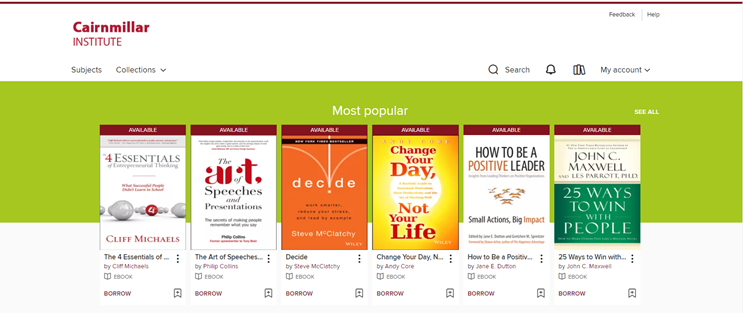
How to borrow eBooks & Audio Books using the Library Catalogue
Access OverDrive via the Library catalogue.
Select the eBook or Audio Book title you wish to borrow and click on the Borrow box.
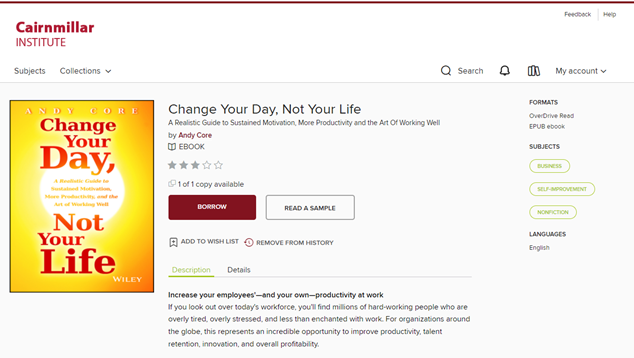
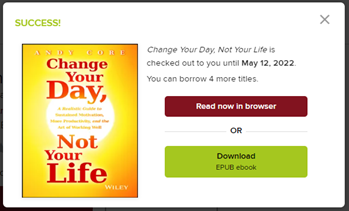
The title is available for you read immediately.
You can either download the eBook, or read it in your Browser.
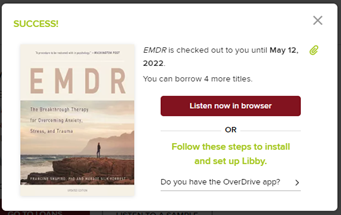
For Audio Books, you can either listen to the Audio Book in your Browser, or access via the Libby App.
How to return eBooks and Audio Books in OverDrive
Returns are easy in OverDrive.
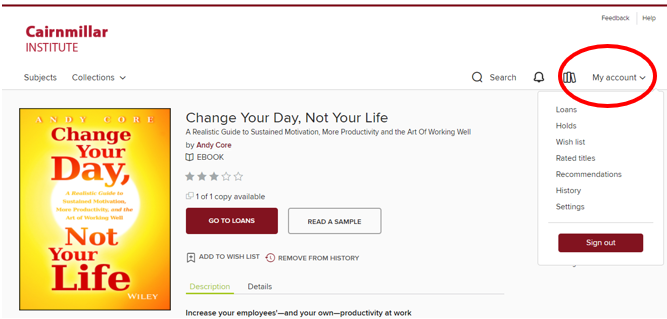
Simply access your Account and click on Loans.
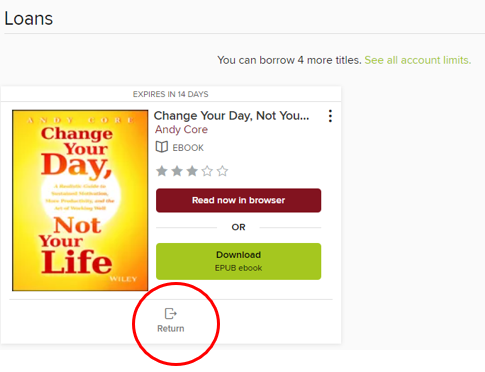
Click on the Return symbol at the bottom of the Loan
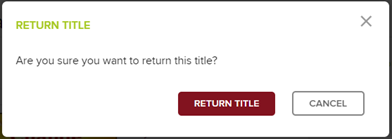
You will be asked to confirm, simply click on Return Title
How to borrow eBooks and Audio Books using the LIBBY APP
Libby App is a free app available from the Apple App Store, Google Play, Windows Store or visit libbyapp.com.
Follow the prompts, or type in Cairnmillar Institute to find our Library and then sign in.
Student sign in – Student number
Staff sign in – First four letters of last name followed by 01
Once logged in, you will be able to browse the library’s collection and borrow titles.
How to borrow using the Libby App
To borrow, simply find the title you want, tap borrow and follow the necessary prompts
Borrowed titles will appear under Shelf > Loans
Titles automatically download to the Libby App when connected to Wi-Fi for convenient, offline reading when you aren’t connected to Wi-Fi.
How to return using the Libby APP
Returns are easy? The title returns automatically when the loan period ends. No more late books or overdue notices!
If you want to renew a title, or return it early, it is easy.
Tap Loans, then tap Manage Loans, which gives you the option to renew or return your loans.
Further assistance can be found at help.libbyapp.com
If you have any questions or need assistance using the eBook and Audio Book collection, please contact the Library.