All enrolments are processed via Paradigm.
Students can self-enrol each semester up until the unit enrolment deadline, by referring to their specific Course Plan in the Course Handbook on myCMI.
Watch the ‘How to Navigate Paradigm’ Video
Enrol in units via Paradigm
Log into Paradigm with your student ID and Navigate to the Course Plan (Watch the ‘How to Navigate Paradigm’ Video)
All units required for your course are in the Course Plan and are colour coded based on your current status. See colour key below:
| Previously Completed | Currently Enrolled Units | Allowed to Enrol | Not Eligible to Enrol | Not Offered at this Time |
Click on the check boxed for each of the units you are enrolling in.
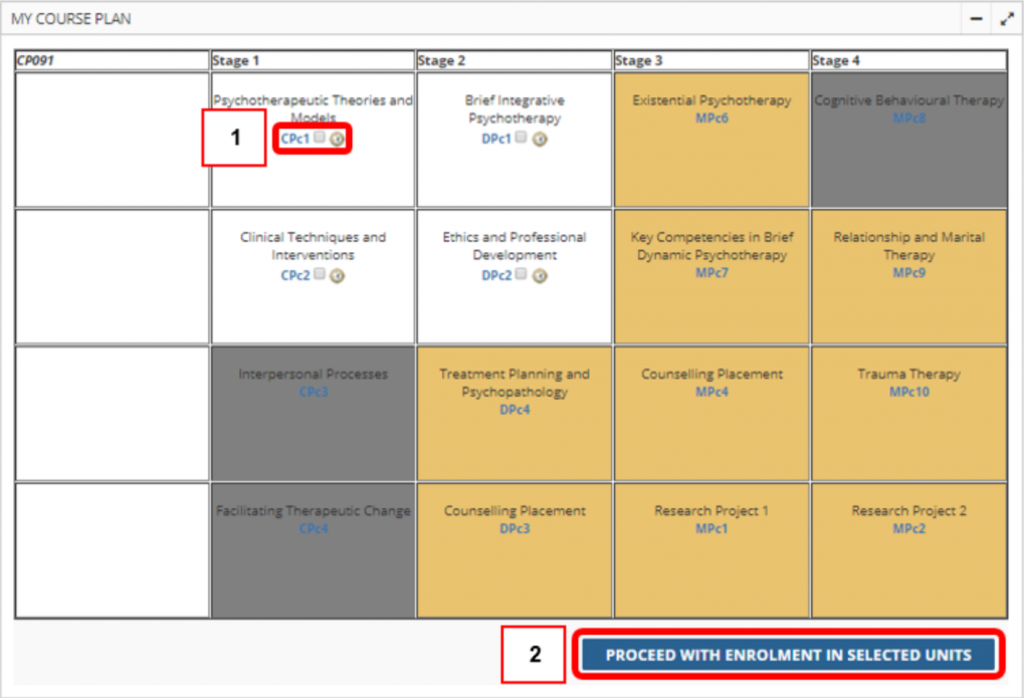
Then click the Proceed with enrolment in selected Units button
Check the units to confirm your enrolment and Confirm unit selections button (or on ‘Change units’ if you need to add or remove a unit from the list)
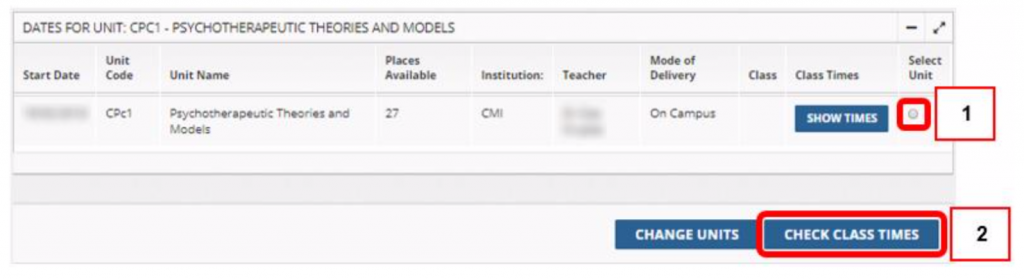
Ensure you have chosen the correct semester – refer to Start Date column – before proceeding. If the semester you expected to see is not showing, email education@cairnmillar.edu.au.
- Email and confirmation options will then appear, in which you must tick the top one to confirm that you are aware of the enrolment conditions (see: Enrolment Conditions), and can optionally choose to have a confirmation email sent to you also.
- If you check the ‘Email confirmation to student email’ box then you will be emailed confirmation of the units your have enrolled in for your records.

Once you are happy with your enrolment selection click Enrol now to finalise your enrolments.
To check the success of your enrolment, return to your Course Plan. The units you have chosen to enrol in should now be blue.
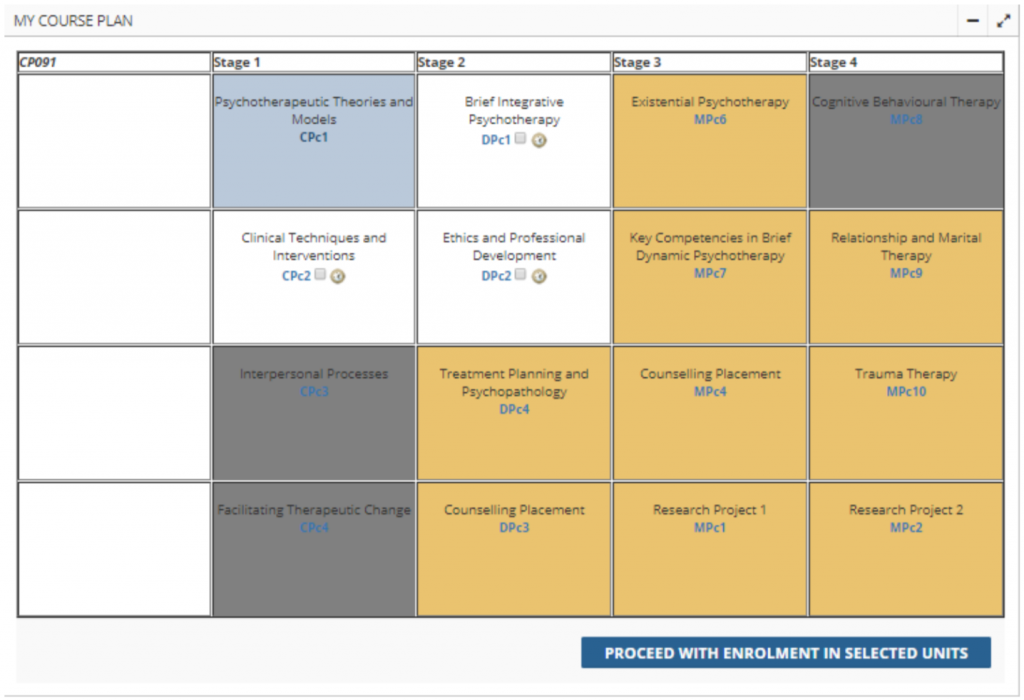
If there are any inconsistencies with your enrolment details, please notify student services.
Choosing a unit stream (class time)
If your unit has multiple streams/class times available, you will have the opportunity to select and enrol into your preferred class time via Canvas once the Canvas Timetable Access Period opens. For dates, please see When will I get access to my units on Canvas?
Instructions:
Step 1 Login/ open your Canvas
Step 2 Select your unit/s from your main Dashboard page
Step 3 Once you are in your unit, click on People (left-hand side menu)
Step 4 Click on Tutorial Streams
Step 5 Select your preferred Stream by clicking on Join
Please note that this does not apply to all courses, such as the Master of Clinical Psychology (Post-registration), Bachelor of Psychology and Counselling, Graduate Cert/Diploma of Psychological Science and Master of Psychology (Clinical Psychology) – for these students, you just need to ensure you have enrolled in your units on Paradigm.
Manual & Special Enrolments
For enrolments made after the enrolment deadline or into special units (e.g. extension units or special placements) please request manual enrolment support by emailing student services: education@cairnmillar.edu.au
Need help?
If you have any technical issues with Paradigm, please contact helpdesk@cairnmillar.org.au