Upfront Payment Confirmation
You can check if the accounting team have processed your payments by logging in to Paradigm ensure that you are using a supported browser such as Chrome, Firefox or Edge).
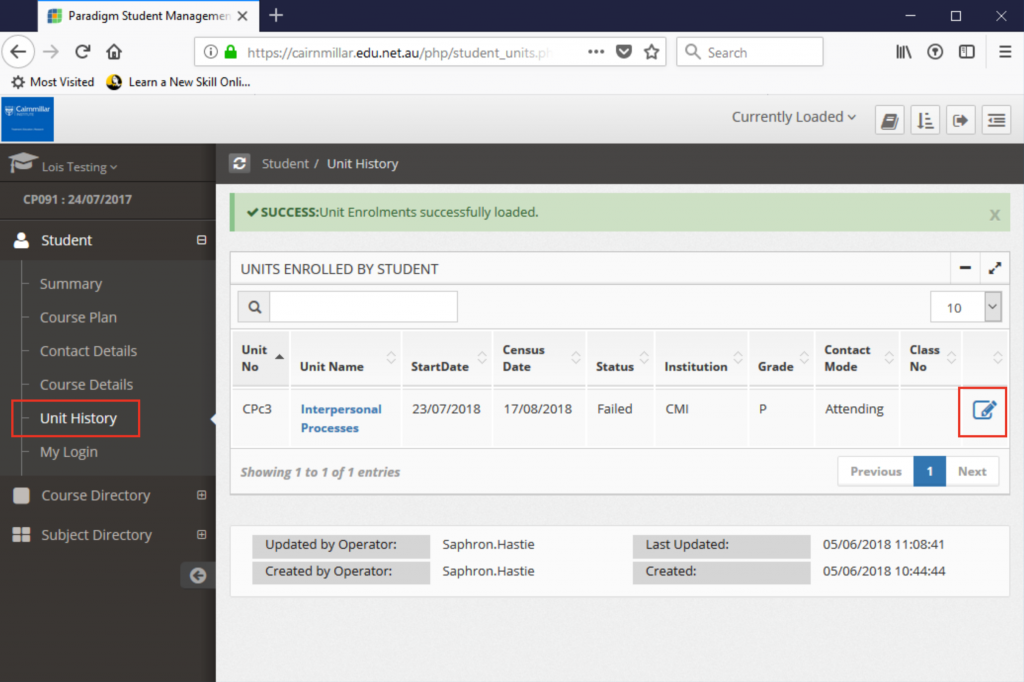
click on the Unit History option in the left hand menu.
Then, click the View icon in the far right next to the result you want to view.
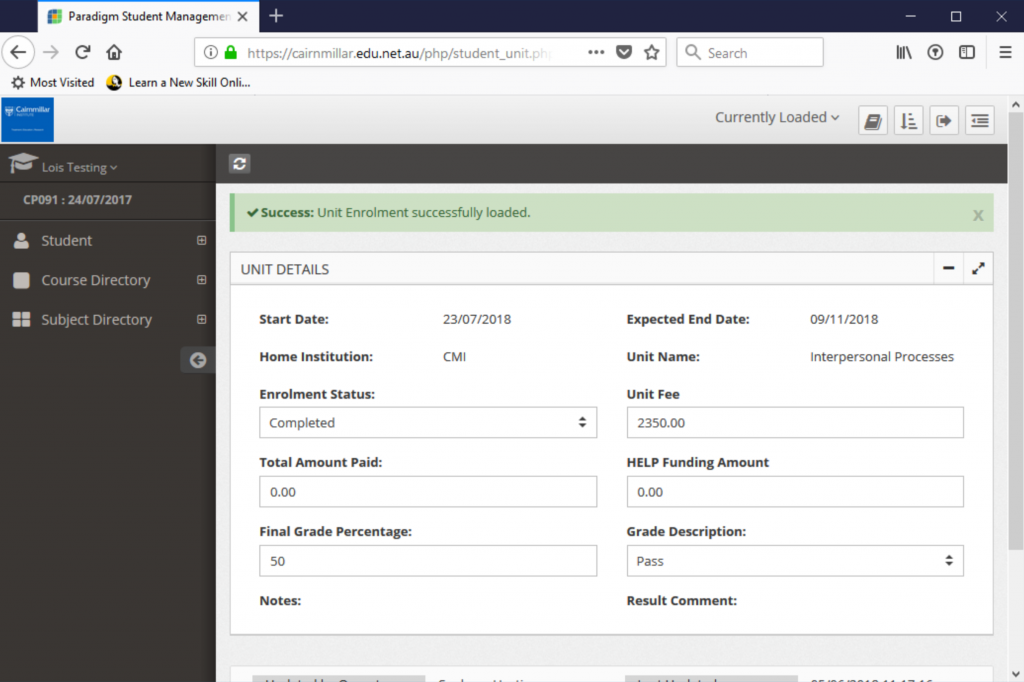
Your total amounts charged (Unit Fee) and total amount paid (Total Amount Paid) will be in the unit history detail screen. Students paying by FEE-HELP will also be able to see the amount charged to HELP funding instead or in addition to any upfront payments made.
In the example below the student payment has not yet been confirmed and is still due.
Important Notes
- Payments are not instantly registered. It can take up to 2 business days for payments and transfers to show up in our accounts and a further 2 to 3 business days for these to be confirmed against your units. Please allow at least one week after making a payment to see it confirmed in Paradigm.
If you have further questions about your payments, invoices, receipts, or fees please contact accounts@cairnmillar.org.au
FEE-HELP Funding Confirmation
You can also use the instructions above to confirm how much will be charged for a specific unit paid by FEE-HELP. Just look for the the ‘HELP Funding Amount’ field instead of the ‘Total Amount Paid Upfront’.
If you want to check your FEE-HELP balance or your full HELP loan history, it is better to use myUniAssist. See: Checking your FEE-HELP Balance