Login to Paradigm (ensure that you are using a supported browser such as Chrome, Firefox or Edge).
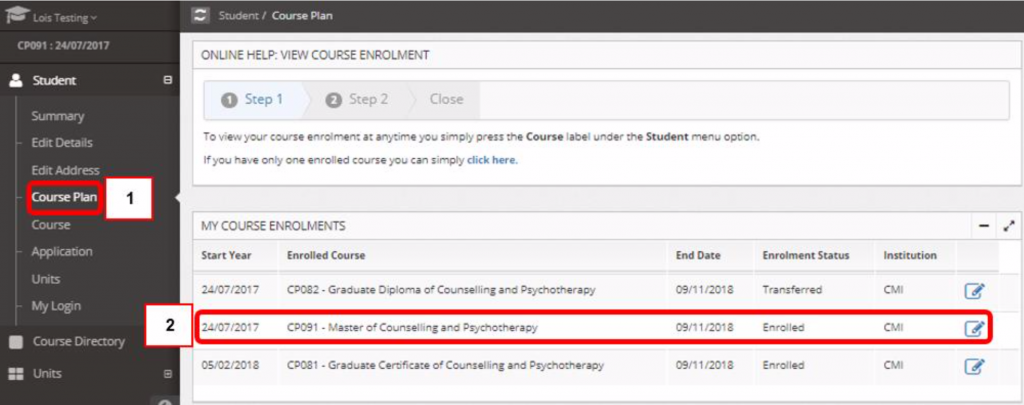
Once you have logged in, on the left panel, click on Course Plan, which will take you to My Course Enrolments and check that your enrolled course and enrolment status is correct.
If you are enrolled in more than one course concurrently, you can also use the Course Plan to check the different courses or view the status of your previous courses. There is a blue ‘view’ icon in the far right next to each course listing to change between Course Plan for different records.
You can also use the Course Plan screen to view your required and completed units and your progress through your course. See also: https://my.cairnmillar.edu.au/knowledgebase/checking-your-unit-enrolments/
NOTE: your Course Plan may not be available once you have formally completed all of your studies or if you have withdrawn from a program. In this case the SUMMARY screen (also accessed from the Student menu) will list all courses of study (programs) you have undertaken and your current status (e.g. Completed or Withdrawn etc).